EXIF Remove – Strip, Randomize & View Metadata App Android Free Download


EXIF Remove – Strip, Randomize & View Metadata App Android Free Download
EXIF Remove - Strip, Randomize & View Metadata
Jakob KreftMultimedia
- Android
- Free
- Open source · GPL-3.0-or-later
- Released
- Sep 3, 2026
- License
- GPL-3.0-or-later
- Package
- si.jakobkreft.exifremove
- SHA-256
1c2408d610065a2a980e6dad6407d4bfe8bc958957b0e12d5a45a3e0e907cf8d
Screenshots

What's new v1.4.0
Two new per-template options, for data a photo needs to look right:
* HDR gain map — keep it and an HDR photo still renders as HDR. The map
holds no identifying data, and the block describing it is rebuilt from
scratch, so none of the camera's own XMP comes along.
* Orientation — keep it and photos never show up sideways.
Camera info can now be randomized instead of left blank.
Colour profiles are cleaned too: one hid a maker's name as text that a
byte scan could not see.
About EXIF Remove - Strip, Randomize & View Metadata
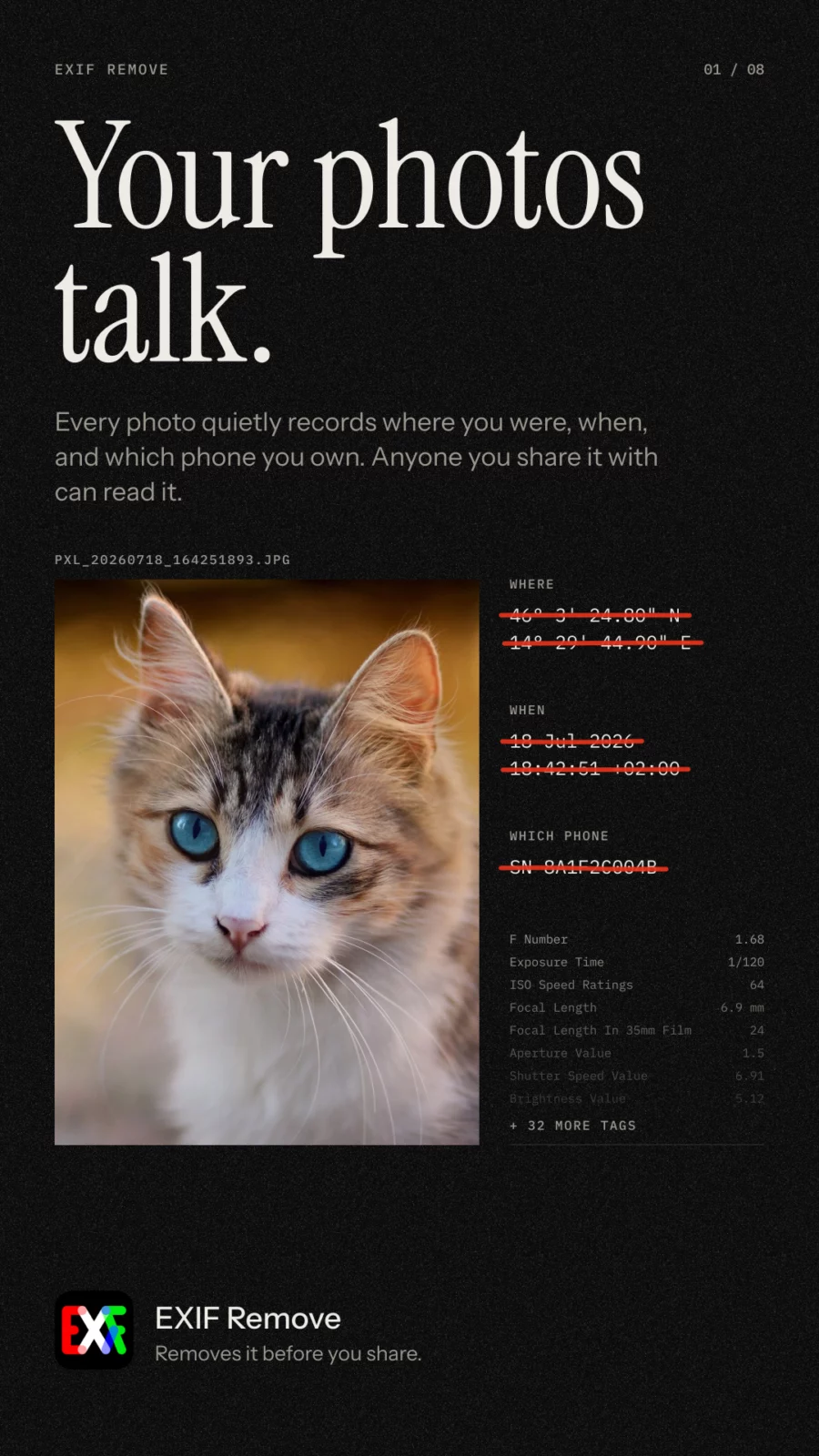
EXIF Remove strips metadata from photos and videos before you share them, so you don’t hand over your location, the time a photo was taken, or the device that took it.
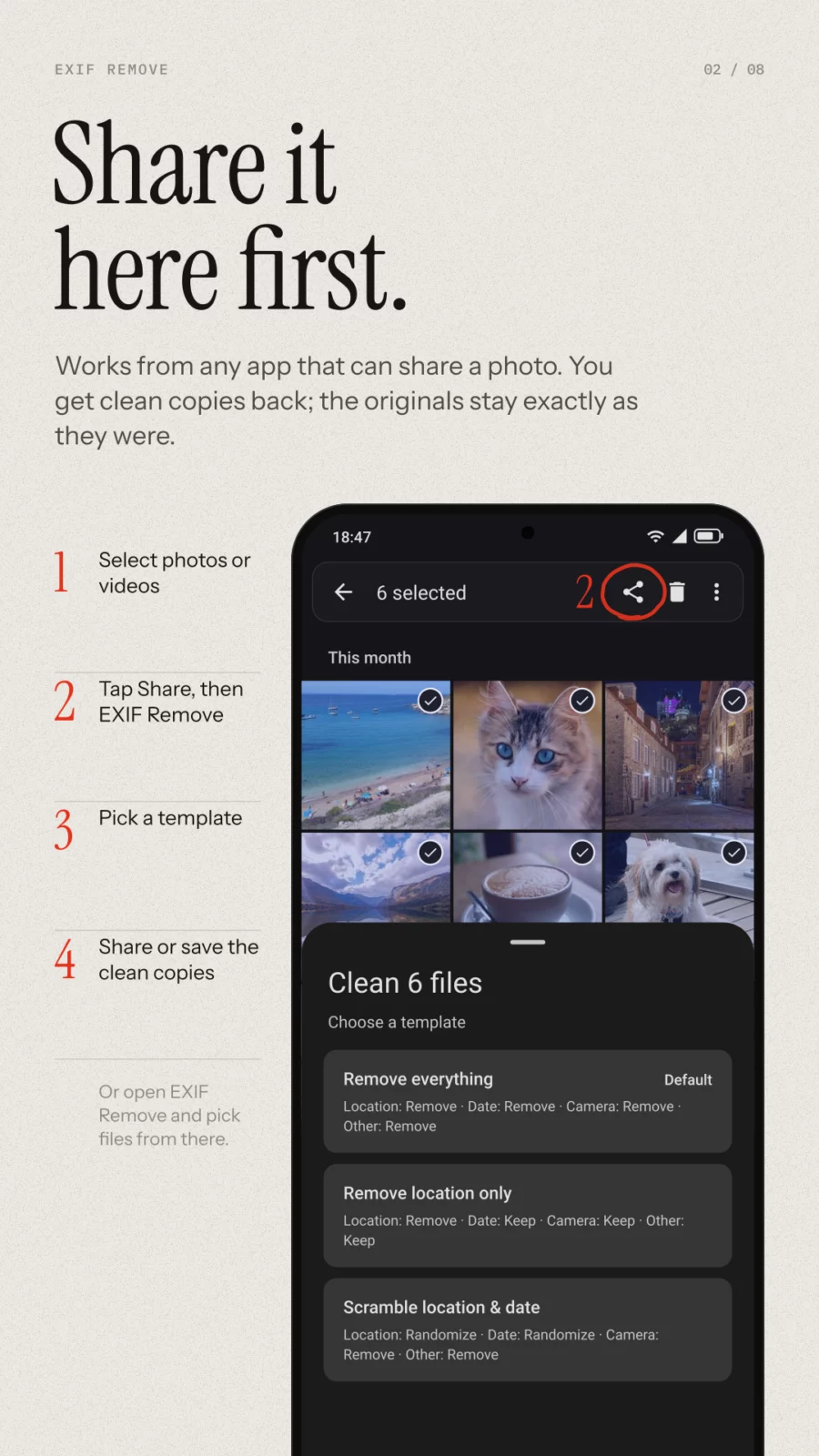
Share files to EXIF Remove from any app, pick a template, and pass the cleaned copies on. Or open the app and pick files directly.
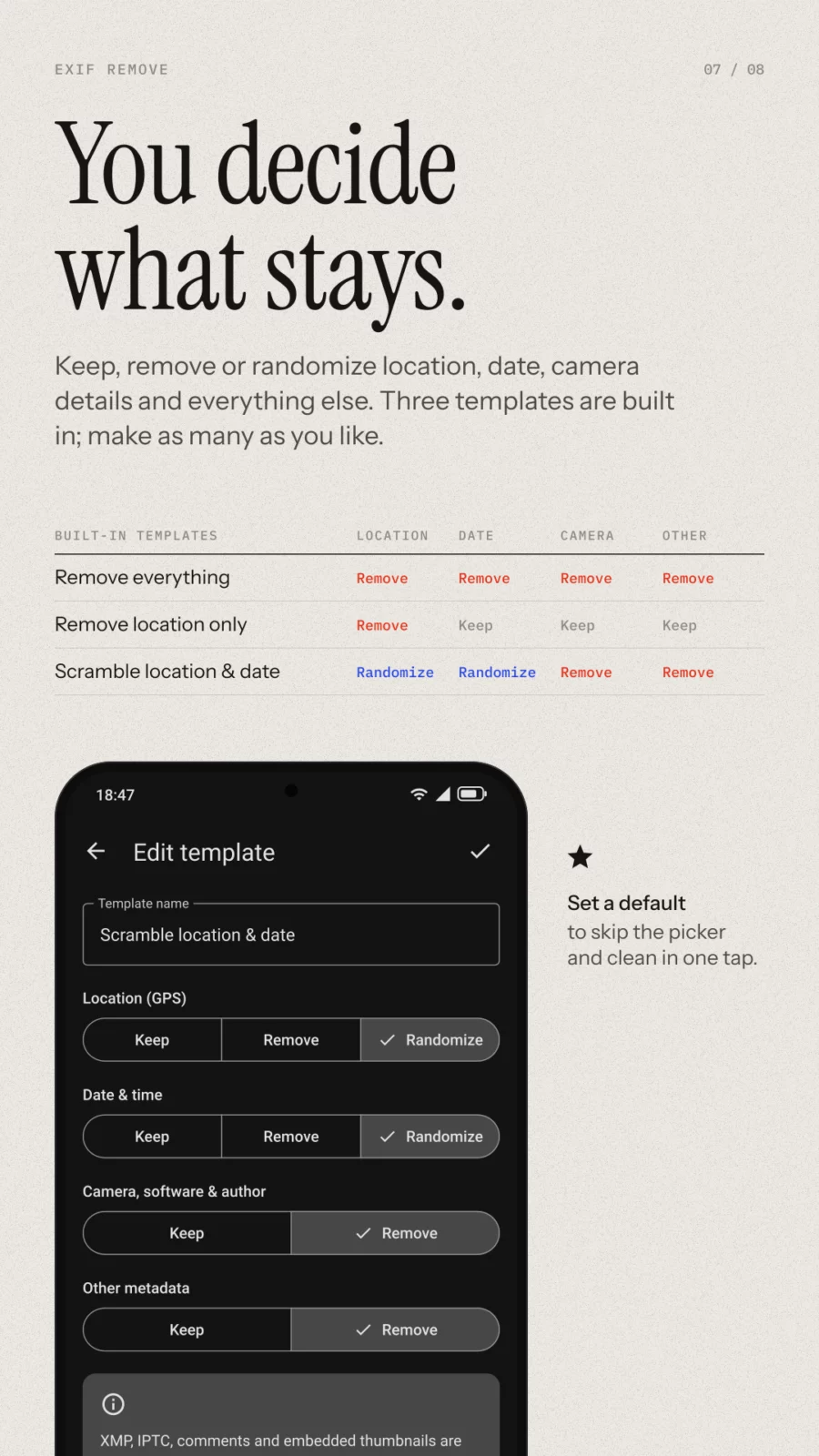
Templates control what happens to each category:
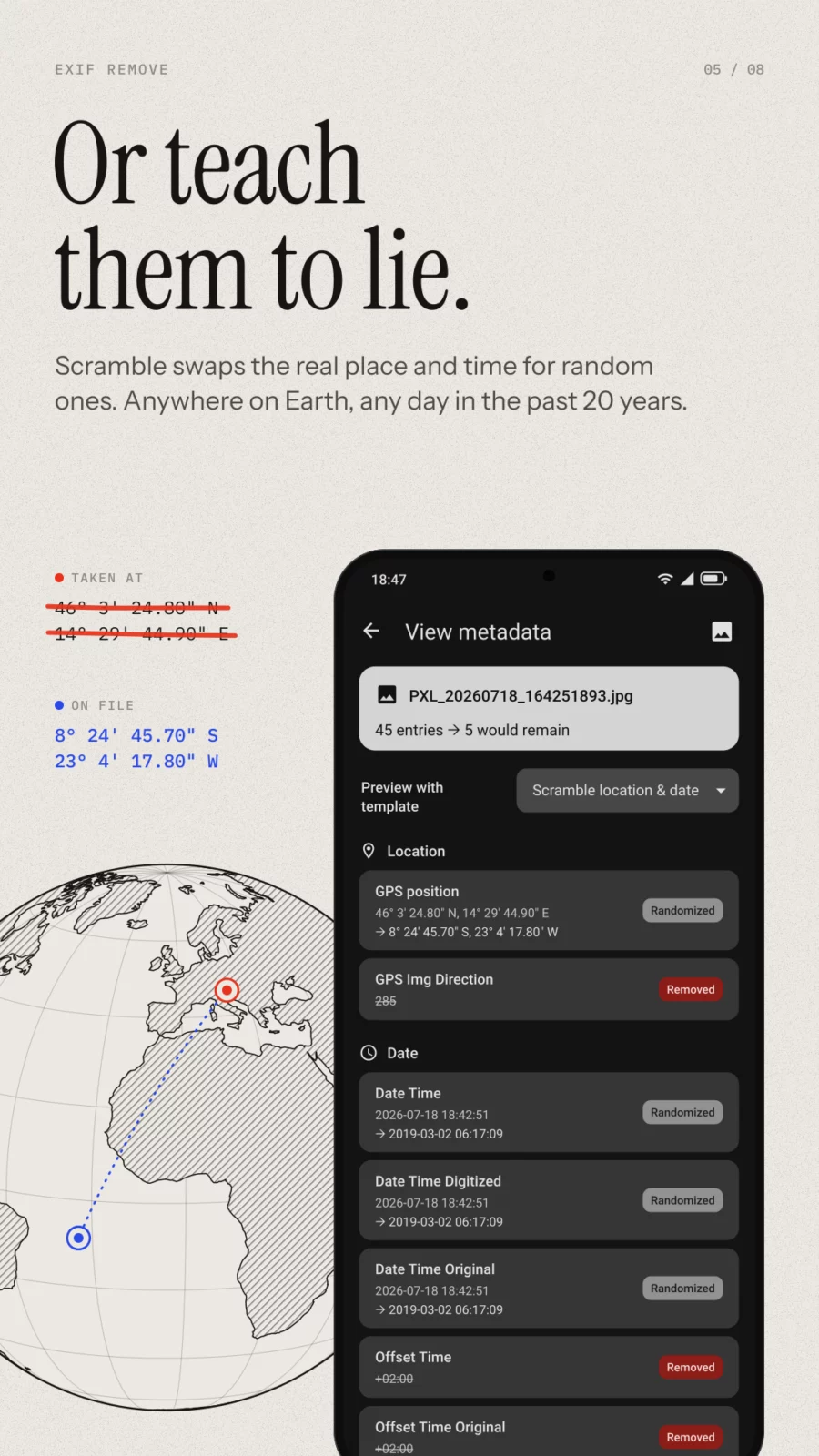
* Location (GPS): keep, remove or randomize
* Date and time: keep, remove or randomize
* Camera, software and author info: keep or remove
* Other metadata: keep or remove
Three built-in templates come ready to edit: Remove everything, Remove location only, and Scramble location and date. Add your own, set a default, and skip the picker to clean in one tap.
What gets cleaned
JPEG, PNG and WebP are cleaned without re-encoding, so the pixels are untouched. HEIC and AVIF are converted to clean JPEGs. Videos (MP4, MOV and 3GP) are cleaned in place, also without re-encoding, so even large recordings finish instantly.
XMP, IPTC, comments and embedded thumbnails are always removed. ICC color profiles are kept, so colors never change. Cleaned files can be given random names, because file names leak information too.
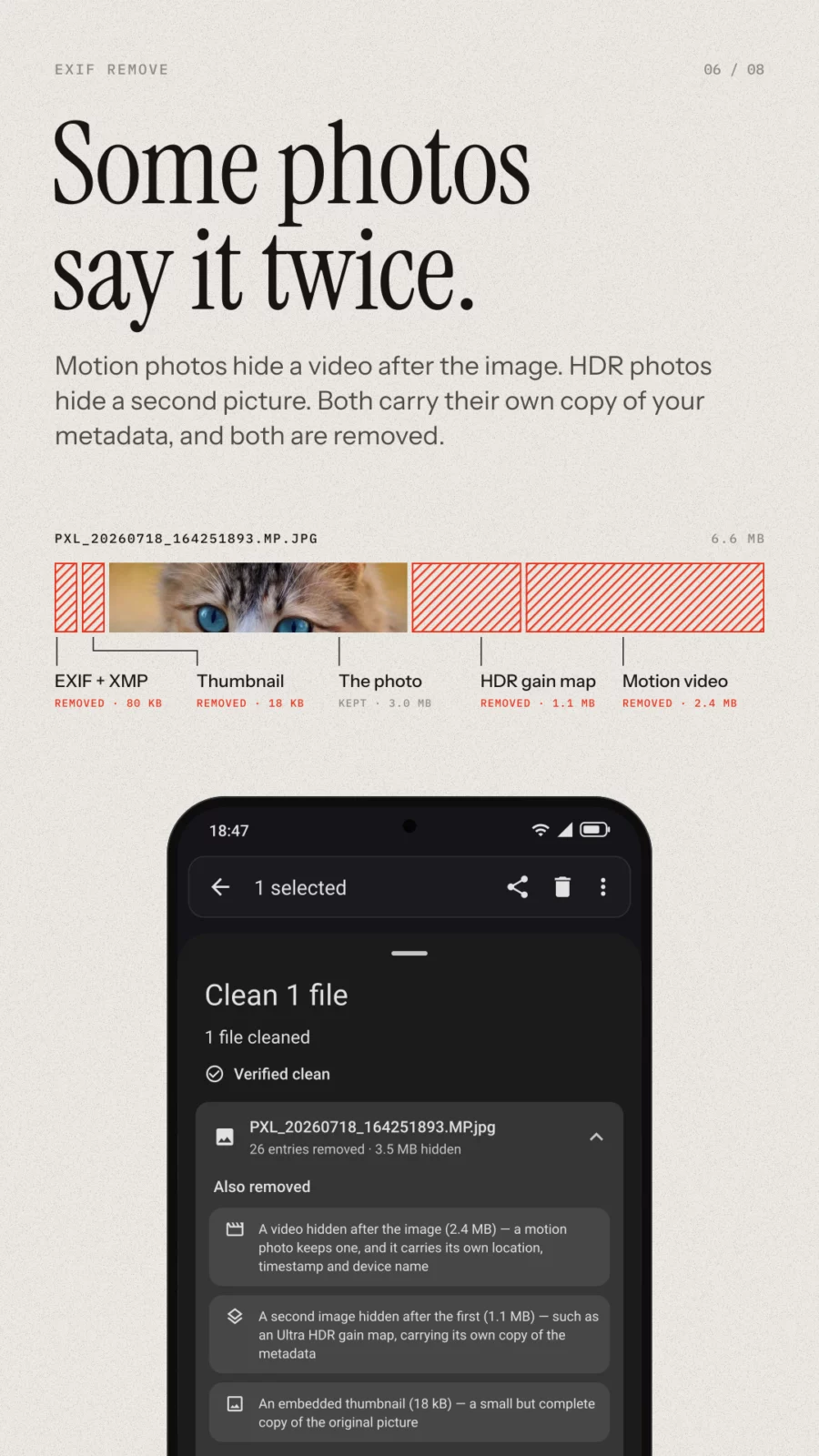
Phones also hide whole files after the end of an image: a motion photo’s video, an Ultra HDR gain map, a second copy of the picture. Each carries its own record of where you were and what device you own. EXIF Remove drops those as well.
See what was removed
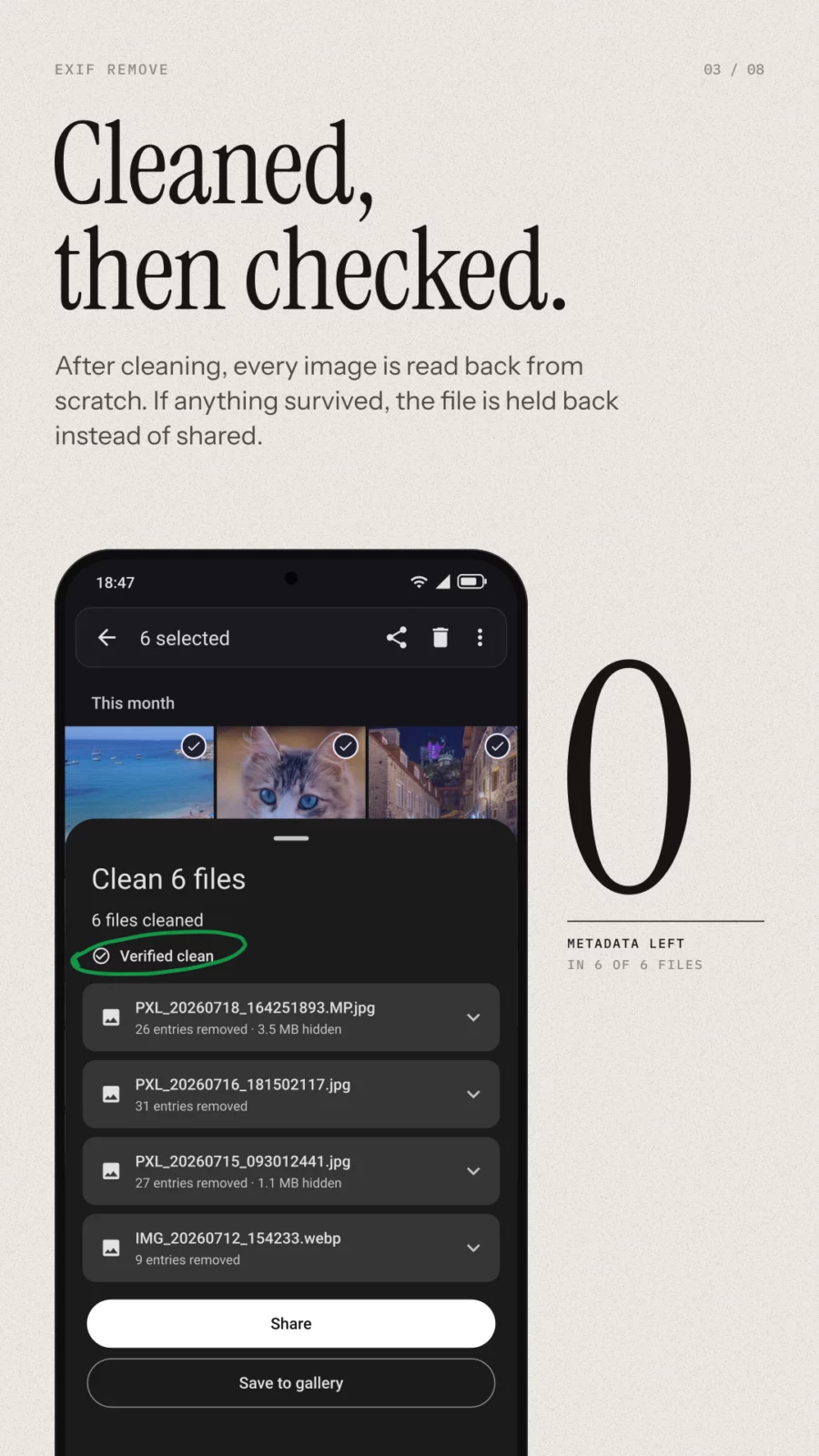
After each clean you get a report for every file: what was removed, what was kept, and what was hidden inside. Each cleaned image is then re-parsed from scratch and withheld if it cannot be proven free of metadata.
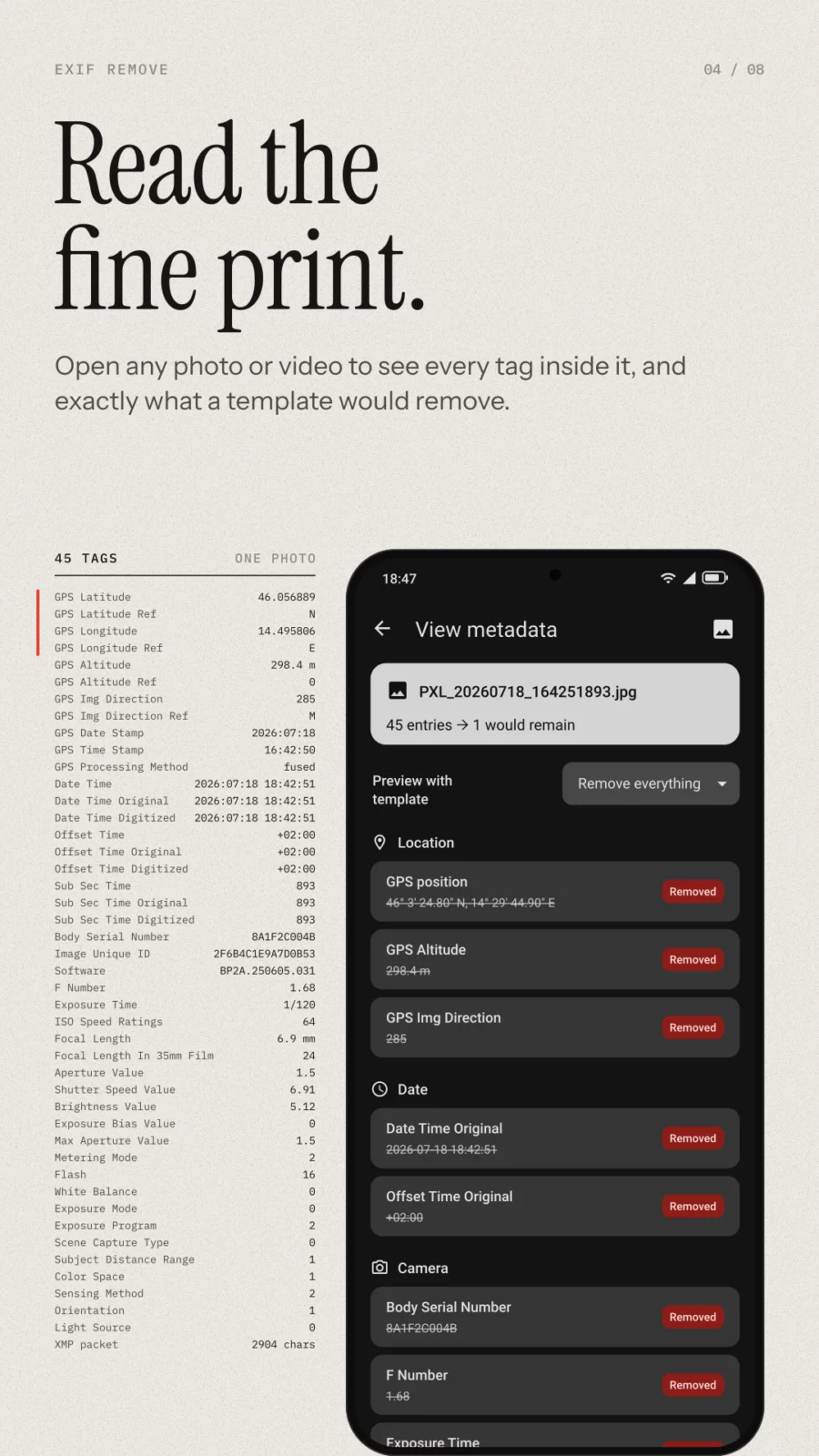
The built-in metadata viewer lets you inspect any photo or video yourself and preview exactly what a template would do to it.
No network access: the app does not request the internet permission, so Android blocks it at the system level. No tracking, no ads. Free software under the GNU GPL v3 or later.
APK file hosted on AABforAndroid (Oct 7, 2026, SHA-256 verified). Free and open-source software (GPL-3.0-or-later) · Source code.